Local AI · Building in public
I Built My Own AI Video Editor. It Runs Entirely on My Mac.
RoughCut turns a folder of raw footage into a DaVinci Resolve timeline. Whisper transcribes it, Qwen 3.8 27B makes the editing calls, and nothing leaves my MacBook Pro.
I came back from a supplier visit and the Canton Fair with 90 clips and more than two hours of raw footage. A tool I built myself turned it into a Resolve timeline before I’d finished my coffee. It runs entirely on my Mac.
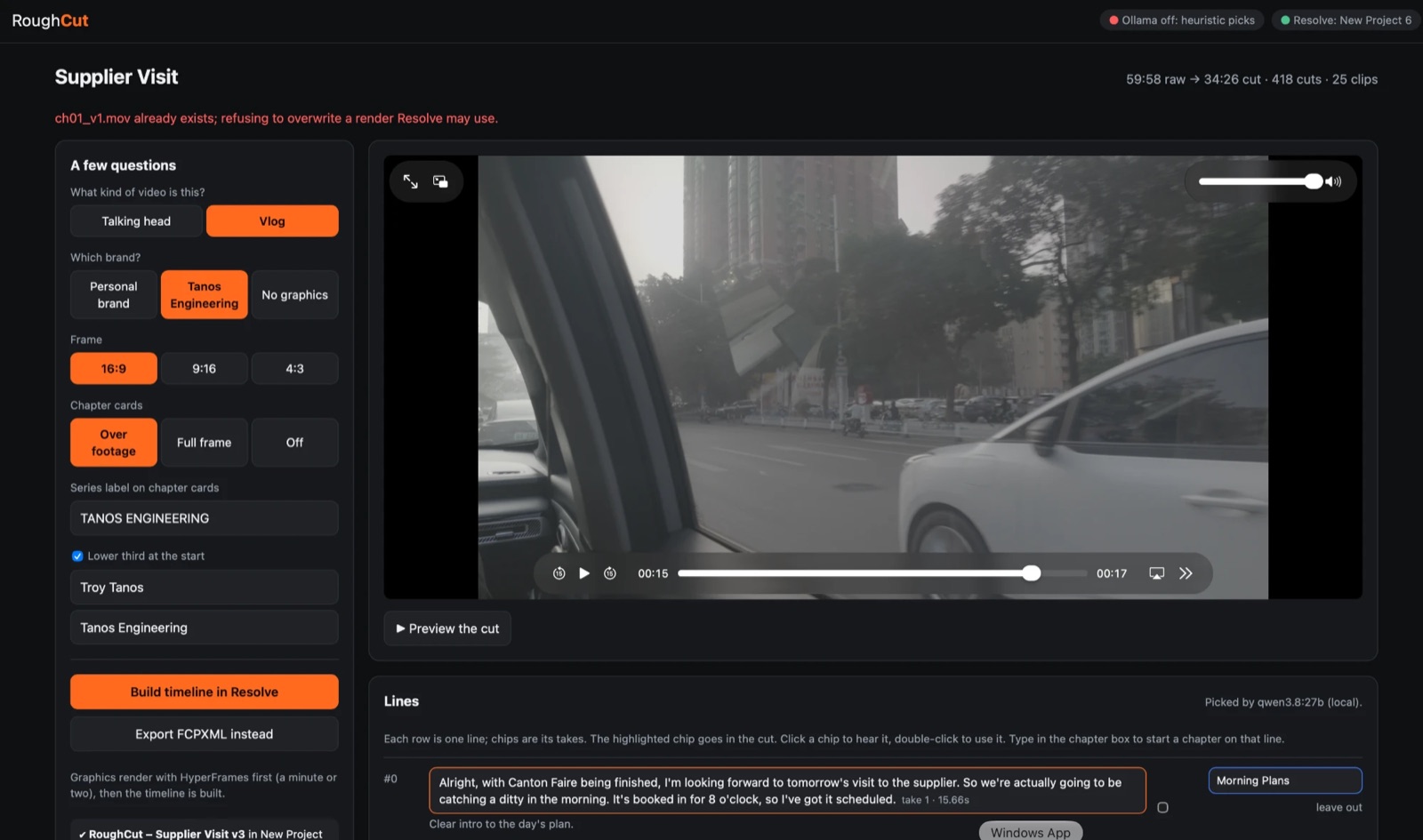
It’s called RoughCut, and I built it with Claude Code. It takes a folder of raw footage, transcribes it, uses a language model to make editing decisions, shows me a review screen and writes a rough cut into a DaVinci Resolve timeline.
Building for an audience of one
Most software is built for lots of people, so it carries settings for every use case and defaults that suit nobody in particular. A personal tool doesn’t. RoughCut asks only the questions I need answered: talking head or vlog? Personal brand, business or none? 16:9, 9:16 or 4:3?
When one person can build the tool, the tool can fit one person’s work exactly. If my workflow changes, I change the tool.
When Claude Code writes most of the code, the important questions become design questions:
- What should each step do?
- Where should a person check the work?
- What should the tool never be allowed to change?
The code still matters, but more of the job is knowing what to ask for and recognising when the answer is wrong.
How it works
- Transcribe. Whisper, OpenAI’s speech-to-text model, transcribes each clip.
- Split. RoughCut measures the silences and splits the speech into lines.
- Group. Retakes of the same line are grouped together.
- Decide. Qwen (
qwen3.8:27b), running locally through Ollama, picks the best take, drops chatter like “sorry, let me go again” and names the chapters. - Review. I click to hear any take and swap anything I disagree with.
- Build. A new Resolve timeline with chapter markers, red markers on close calls, and branded chapter cards and lower thirds. It’s always a new timeline, so it can’t overwrite my work. It can also export FCPXML for other editors.
Some steps are ordinary code, two use models and one is me.
Whisper: turning speech into timestamps
Whisper is OpenAI’s open-source speech recognition model. You give it audio and it gives you back text. It was trained on a large amount of real-world speech, so it copes with accents and background noise better than older dictation tools.
RoughCut doesn’t run OpenAI’s original code. It uses faster-whisper, a reimplementation of Whisper that runs the same models faster and with less memory.
For editing, the important output isn’t the text. It’s the word-level timestamps: when every word starts and ends. That’s what lets RoughCut find the gaps between lines, line up retakes, and cut on a pause instead of halfway through a word. Whisper tends to stretch a word across the pause that follows it, so RoughCut checks each gap against its own silence measurement before it trusts a cut point.
RoughCut runs Whisper’s small model on the CPU at 8-bit
precision. That’s accurate enough for picking takes, because I review every
decision anyway, and a larger model is one setting away if I ever need
caption-quality transcripts.
The decision-maker: Qwen 3.8 27B
The editing calls come from Qwen 3.8 27B, an open-weight model from Alibaba’s Qwen team. It runs locally through Ollama, a free app that downloads open models and serves them on your own machine. Qwen reads the transcript of every retake, picks the best one, drops the chatter and names the chapters.
The model is an 18 GB download with a 256K-token context window. There’s no API key and no bill. If Ollama isn’t running, RoughCut doesn’t stop: it falls back to simple rule-based picks and tells me it did.
I’ve written a step-by-step guide to setting this part up: How to install Ollama on a Mac and run Qwen 3.8 27B.
The hardware
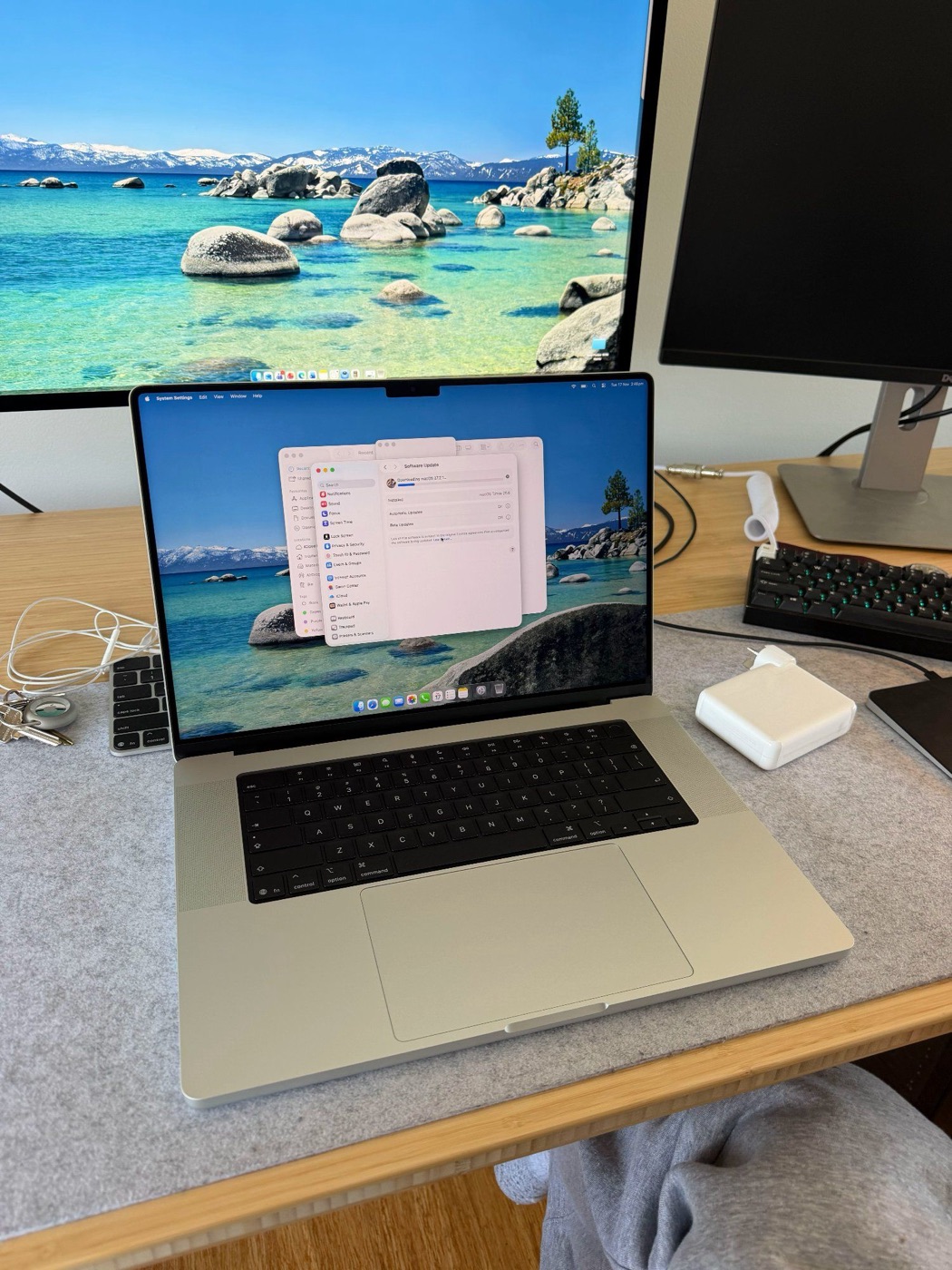
Everything runs on one Mac. No cloud service, no per-use cost, and my footage never leaves the machine. To be clear, that’s a high-end Mac, not any laptop: a MacBook Pro with an M5 Pro chip, 48 GB of unified memory and 2 TB of storage.
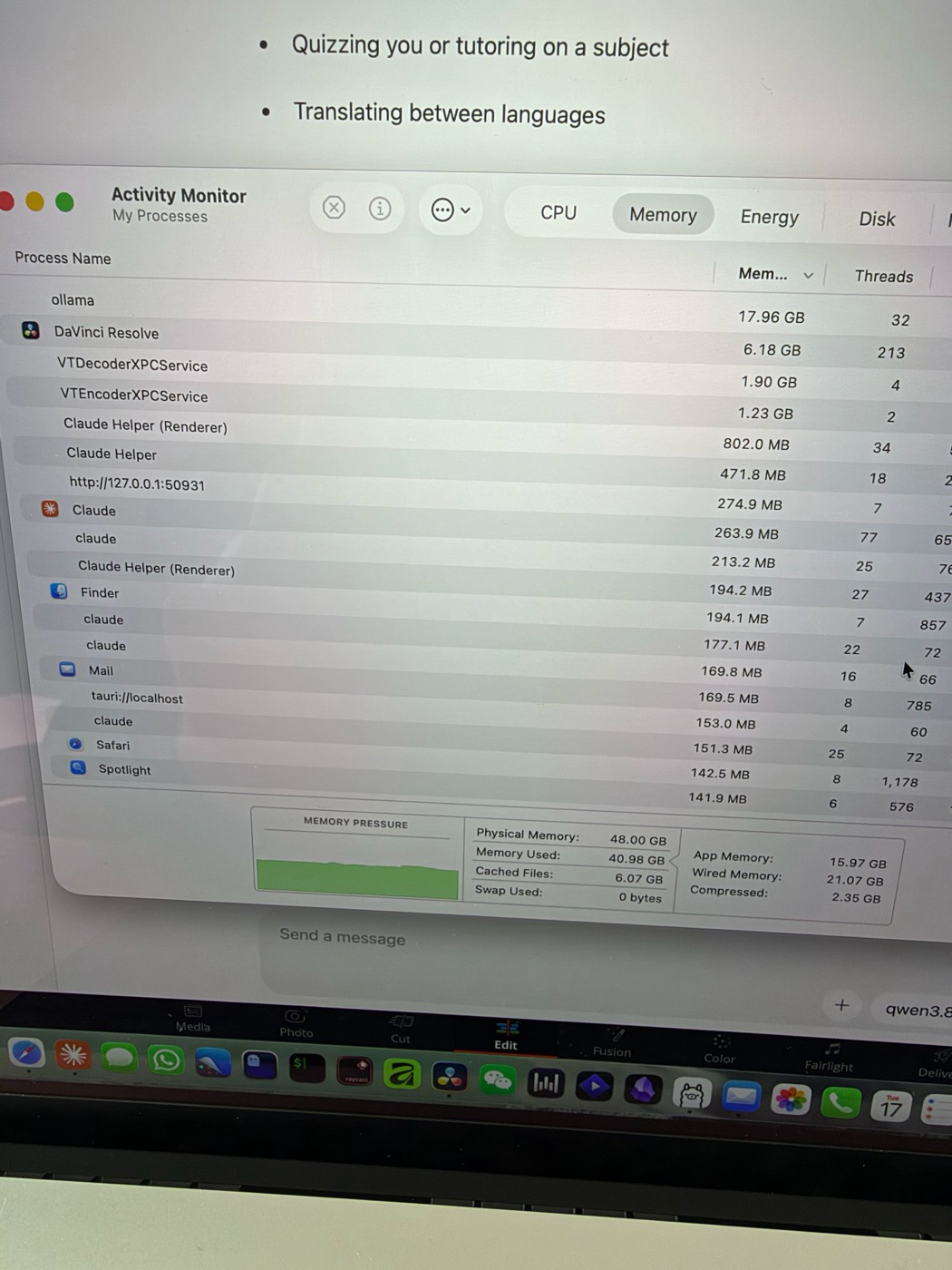
Memory is what matters most for local models. On Apple silicon the CPU and GPU share one pool of memory, so the 18 GB model, Whisper, Resolve and macOS all live in the same 48 GB. The 2 TB drive holds the footage and the models.
Here’s what that looks like in practice. With Qwen loaded and Resolve open, Activity Monitor shows Ollama using 17.96 GB and Resolve 6.18 GB, with about 41 GB of the 48 GB in use and nothing swapped to disk. It fits, with some room to spare.
The real test
I’m building Tanos Engineering, a four-wheel-drive accessories company, and documenting the process. I recently visited our main supplier and the Canton Fair, and came back with 90 clips: 65 from the fair (78 minutes) and 25 from the supplier visit (60 minutes).
RoughCut sorted all of it, so I got the videos made without getting bogged down in editing and kept my attention on the business. Tools like this are how I’m getting it off the ground fast.
That used to mean hours of trimming footage and hunting for the best bits. Now I skip most of that and go straight to the part that matters: making sure the video and the story are tight.
What I’d suggest
Start with the part of your week that feels like a grind, then map it out:
- What’s the task, and what does “done” look like?
- What are the steps, in order?
- Which steps are repetitive? Hand those to AI.
- Which need your judgement? Keep those, and make sure the tool can’t break anything that matters.
If you’d like a hand building yours, let’s grab a coffee, or email me at troy@troytanos.com.