Guide · Local AI
How to Install Ollama on a Mac and Run Qwen 3.8 27B
The local model behind my video editor, RoughCut, set up from scratch. About fifteen minutes of work plus an 18 GB download. No account, no API key, no bill.
Ollama is a free app that downloads open-weight language models and runs them on your own machine. Once it’s installed, you can chat with a model in the Terminal or call it from your own code, the same way you’d call a cloud API, except nothing leaves your Mac.
This guide installs Ollama and then downloads Qwen 3.8 27B, the model I use in RoughCut to pick takes and name chapters.
What you need
- A Mac with Apple silicon (M1 or later). Ollama also runs on Intel Macs, but only on the CPU, which is too slow for a model this size.
- macOS Sonoma (14) or newer.
- About 20 GB of free disk space for the model.
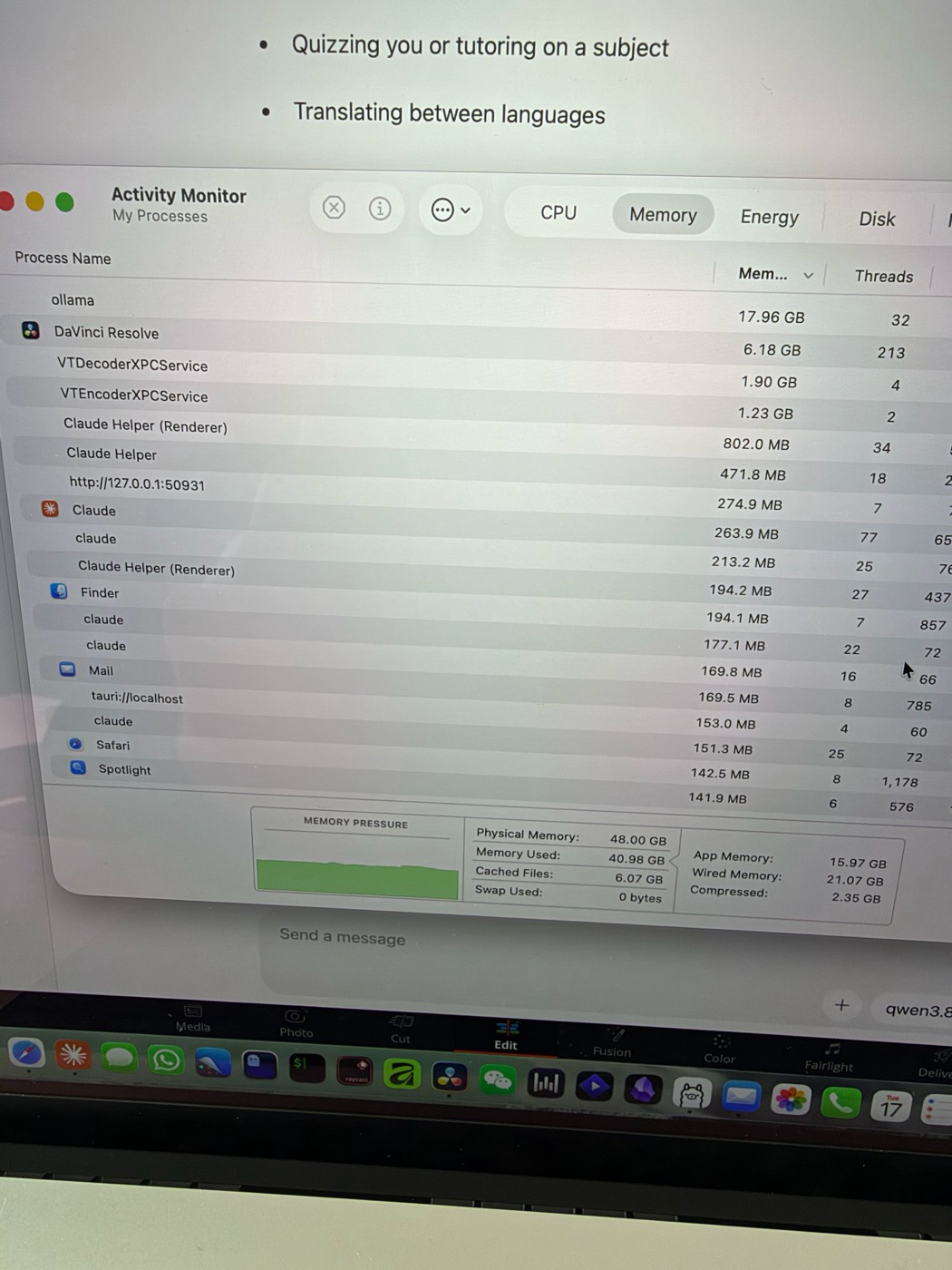
- Enough memory. The model needs about 18 GB on its own, plus room for macOS and your other apps. My guidance: 32 GB of unified memory is a sensible minimum. I run it on a MacBook Pro with an M5 Pro and 48 GB, alongside Whisper and DaVinci Resolve.
To check your Mac, open the Apple menu › About This Mac. It lists the chip, the memory and the macOS version.
Step 1: Install Ollama
The easiest way is the app:
- Download Ollama from ollama.com/download/mac.
- Open the downloaded file and drag Ollama into your Applications folder.
- Open Ollama from Applications. The first time it starts, it offers to add the
ollamacommand to your Terminal. Say yes.
If you’d rather use the Terminal, this does the same job:
curl -fsSL https://ollama.com/install.sh | shOllama now runs in the background. You’ll see its icon in the menu bar.
Step 2: Check it worked
Open the Terminal (press ⌘ Space, type “Terminal”) and run:
ollama --versionIf it prints a version number, you’re ready. If it says “command not found”, open the Ollama app once more and accept the offer to install the command.
Step 3: Download Qwen 3.8 27B
ollama pull qwen3.8:27bThis downloads about 18 GB, so it takes a while on a slow connection. You only do it once.
qwen3.8:27b is the standard version and the one I use. Ollama lists
other versions on the
tags page:
| Tag | Download | Notes |
|---|---|---|
qwen3.8:27b | 18 GB | The default. Start here. |
qwen3.8:27b-mlx | 18 GB | Built on Apple’s MLX framework, made for Apple silicon. |
qwen3.8:27b-q8_0 | 30 GB | Higher precision. Needs much more memory. |
qwen3.8:27b-bf16 | 56 GB | Full precision. Too big for a 48 GB Mac. |
The bigger versions are more precise, but for most work you won’t notice the difference, and the extra memory has to come from somewhere.
Step 4: Chat with it
ollama run qwen3.8:27b
Type a question and press Return. The first answer is slower while the model loads
into memory. Qwen 3.8 “thinks” before it answers by default, so you may
see its reasoning appear first. Type /bye to exit.
Qwen 3.8 also reads images: drag a picture into the Terminal window after your question and it will describe or answer questions about it.
Step 5: Use it from your own code
While Ollama is running, it serves a local API at
http://localhost:11434. There’s no API key. This is how RoughCut
talks to Qwen. Try it from the Terminal:
curl http://localhost:11434/api/chat -d '{
  "model": "qwen3.8:27b",
  "messages": [
    { "role": "user", "content": "Give me three titles for a video about a 4WD canopy build." }
  ],
  "stream": false
}'
The answer comes back as JSON, in message.content. Ollama also offers
an OpenAI-compatible endpoint at http://localhost:11434/v1, so a lot of
existing tools and libraries work with it by changing one URL. The
API docs
cover the rest.
You can point Claude Code
at your local model with ollama launch claude --model qwen3.8. It’s
a useful way to try coding with an open model, though for serious work I still
use Claude itself.
Useful commands
| Command | What it does |
|---|---|
ollama list | Shows the models you’ve downloaded. |
ollama ps | Shows which models are loaded in memory right now. |
ollama rm qwen3.8:27b | Deletes the model and frees the disk space. |
Models are stored in ~/.ollama in your home folder. To remove Ollama
completely, follow the uninstall steps in the
macOS docs.
Troubleshooting
- “Could not connect to Ollama”: the app isn’t running. Open it from Applications and try again.
- Answers are very slow, or the Mac grinds: the model doesn’t fit comfortably in memory. Quit other heavy apps, or try a smaller model from the Qwen 3.8 tags.
- Still stuck: Ollama’s logs live in
~/.ollama/logs.
That’s it: a capable model running on your own machine. If you build something with it, I’d like to hear about it at troy@troytanos.com.